Run a Motel Co-op Roles & Controls
Move, interact, split chores across six players, and stop being the entire staff alone.
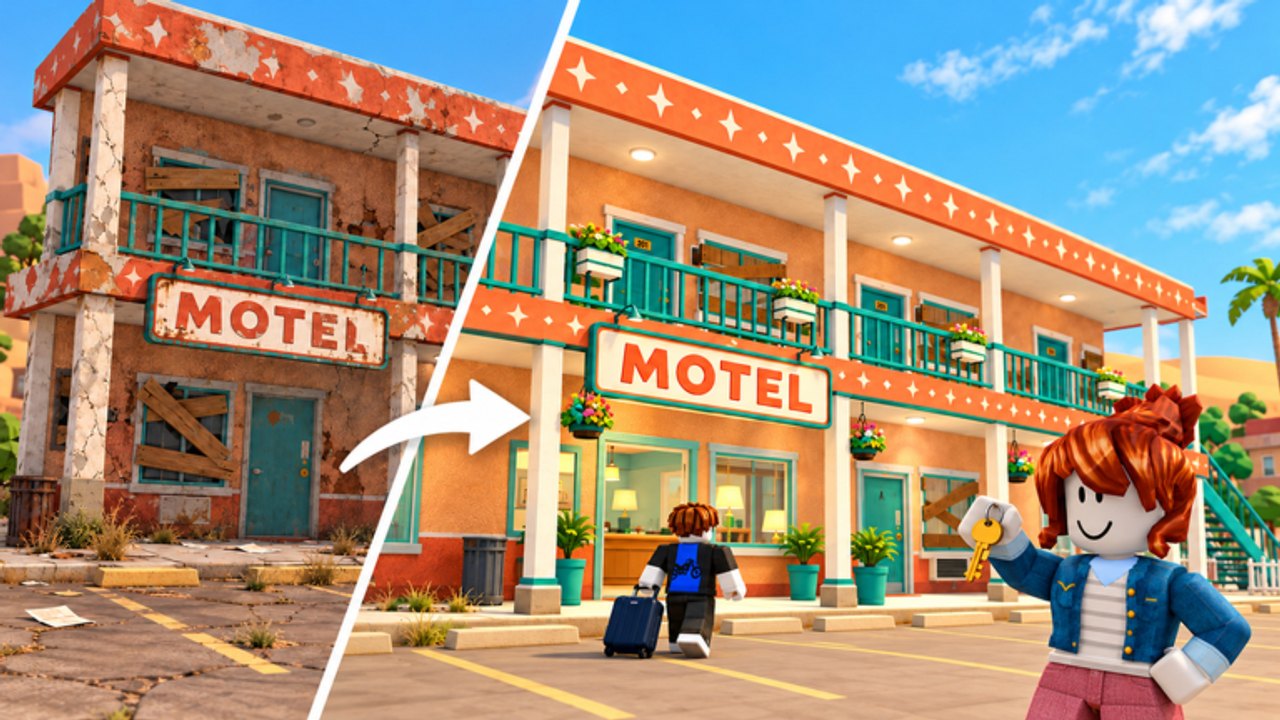
Why co-op exists in a chore tycoon
Run a Motel supports online co-op with servers up to six players. That cap matters: the fantasy is a roadside stop where cleaning, laundry, beds, check-in, keys, suitcases, coffee, room service, yard work, neon, pool towels, and upgrades all compete for attention. Solo hosts joke that “the entire staff is me” for a reason. This guide covers practical controls on PC and mobile, how to split roles, chat discipline, and shared-money etiquette so six humans feel like a crew instead of six strangers vacuuming the same Regular.
Start the fantasy loop with Getting Started. When labor still fails, Hire Staff. Human roster context lives on the Players Hub.
Controls without invented keybinds
Roblox experiences share a familiar interaction pattern. Run a Motel uses movement plus proximity prompts / click interactions rather than a unique esports binder you must memorize from a wiki. Follow what the live client shows:
PC basics
- Move with standard Roblox locomotion (WASD-style movement in most PC setups).
- Look with the mouse; approach carts, desks, washers, doors, bags, and service points until a proximity prompt or clickable affordance appears.
- Confirm the on-screen interact prompt (commonly an E-style or click interaction in Roblox motel sims—always trust the prompt text in your session over any outdated screenshot).
- Complete the carry / clean / handoff animation before starting another chore to avoid stuck states.
- Use the in-experience menus for shop, hire, and upgrade panels as they appear on your HUD after tutorial prompts clear.
Mobile basics
- Use the on-screen thumbstick / jump controls Roblox provides.
- Tap proximity prompts when you are close enough; if a prompt will not appear, step closer and face the object.
- Watch for HUD buttons along the edges after the tutorial unlocks them.
- Prefer shorter chore routes on mobile—long suitcase runs are easier when a PC teammate anchors the desk.
We intentionally do not invent unique keybinds that cannot be verified from public materials. If a patch remaps a prompt, the on-screen label wins. Recheck Updates Hub after client changes.
Six-player role splits that work
Name roles in chat at session start:
- Reception — check-in, room assignment, keys, special corner requests, inspector greetings.
- Laundry & beds — washers, sheet flow, remakes.
- Hall cleaner — vacuum / mop routes on Regulars and Comfort.
- Runner — suitcases, coffee, room service (Room Service and Keys).
- Exterior — yard, graffiti, neon, pool towels (Pool, Yard & Neon).
- Floater / VIP — problem rooms, VIP turnovers, emergency mop after pets.
On a four-player night, merge runner+floater and exterior+VIP. On a duo, one player is desk-primary; the other is clean-primary with runner bursts. On solo, you rotate stacks: ready two rooms, desk two guests, one service call, then exterior only between waves—and hire staff sooner.
Chat calls that save stars
Short, specific calls beat novels:
- “Inspector walking.”
- “Pet in 3—extra mop.”
- “Corner ask—hold room 7.”
- “Buying Comfort on 4.”
- “Neon floater go.”
- “Laundry jammed—need empty.”
Avoid vague “help” without a room number. Stars are shared; one ignored dirty door taxes everyone. Guest identity cheat sheet: Guest Types and Pets & Special Corners.
Shared funds etiquette
Cash is communal pressure even when the UI presents a personal wallet fantasy—impulse upgrades strand teammates. Agree on rules:
- Announce purchases before big Comfort / VIP / room buys.
- Keep a buffer for star emergencies (staff or neon) as described in Money, Stars & Tips.
- Do not Auto Buy Rooms via scripts without squad consent (Scripts Hub).
- Prefer the spend ladder on the Tier List Hub over random shop clicks.
If two players buy the same upgrade path twice, you have a communication bug, not a content bug.
Why co-op beats “entire staff is me”
Mid-article reminder: when one host tries to be receptionist, cleaner, laundry tech, bellhop, and neon tech simultaneously, tips die and inspectors feast. Co-op exists so judgment tasks stay human while volume chores fan out. Watch how solo staff pressure feels, then deliberately refuse that fate by assigning lanes—or by hiring NPC staff when friends are offline.
Staff do not replace co-op discipline; they cover gaps. Humans should still own desk judgment, VIP presentation, and inspector routing.
Onboarding a new teammate mid-session
- Point them to Getting Started if they are brand new.
- Give them one lane only for fifteen minutes (usually laundry or Regular cleans).
- Show proximity prompts on one washer and one vacuum route.
- Add suitcase runs only after they stop colliding with the desk host.
- Share the current star status and “do not buy yet” rule.
Sinking a newbie into VIP shopping on minute one creates expensive chaos.
Platform mix tips
PC players often take desk and long-path runner jobs. Mobile players shine on clustered clean routes and laundry stations. Swap if someone is stranded upstairs on a touch screen during a lobby rush. Second-floor growth lengthens pathing—reassign ownership of upstairs cleans explicitly.
Failure modes
- Everyone follows the same dirty room (pathing traffic jam).
- Nobody owns keys during a wave.
- Silent shopping while stars drop.
- Arguing about scripts mid-inspector.
- Assuming staff cover special corner logic.
Fix roles first, tools second, furniture third.
Related pages
- Getting Started
- Hire Staff
- Players Hub
- Room Service and Keys
- Hotel Inspector
- Guides Hub
- Official Links — favorite the live place for patch banners
Move with the prompts on your screen, call your lane, spend out loud, and let six players—plus staff when needed—beat the meme where the entire motel staff is still just you.
Frequently Asked Questions
Quick answers to the most common questions.
How many players can join one Run a Motel server?
Online co-op supports up to six players per server. Split desk, cleaning, laundry, runner, and exterior roles so chores do not overlap.
What are the exact PC keybinds?
Use standard Roblox movement and the on-screen proximity prompts or click interactions shown in your session. Trust live prompt labels over outdated screenshots.
How do we stop teammates from wasting money?
Announce big purchases in chat, keep a star-emergency buffer, and agree on the tier-list spend order before shopping.
Should mobile players take the front desk?
They can, but many squads park mobile on clustered clean or laundry routes while a PC player anchors long desk and runner paths.
Do we still need hired staff on a full server?
Often lightly. Coordinated humans cover a lot, but staff help with Regular overflow after expansions or when players rotate out.